
Arabic Remote Interpreting for Business Meetings: A Planning Checklist

When a meeting brings together an Arabic-speaking side and an English-speaking side, the quality of the interpreting depends on decisions made days before anyone joins the call: which interpreting mode fits the format, whether the meeting platform is configured for it, how the interpreters are staffed and briefed, and whether every speaker can actually be heard. This checklist walks through those decisions for Arabic remote interpreting between Arabic and English, where the interpreters, the speakers and the audience are all connected online.
1. Choose the Arabic remote interpreting mode first
Remote interpreting is delivered in two main modes.
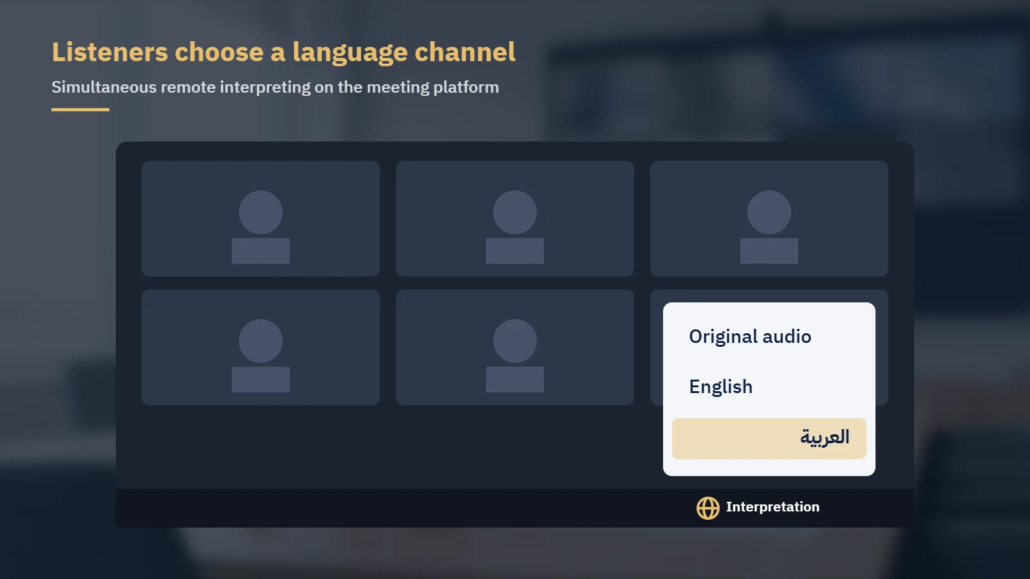
- Simultaneous interpreting: the interpreter speaks at the same time as the speaker, and listeners hear the interpretation on a separate language channel. It suits webinars, town-hall style briefings, board meetings with several speakers and any session where the agenda is tight.
- Consecutive interpreting: the speaker pauses and the interpreter renders each segment afterwards. It needs no language channels, so it works on an ordinary call, but it adds time because every segment is heard twice. It suits smaller negotiations, interviews and follow-up calls where precision on each point matters more than pace.
If the agenda cannot absorb extra time, plan for simultaneous. If the meeting is a two-party discussion with a handful of participants, consecutive is often the simpler setup. Decide on the mode before you request quotes, because it affects staffing and preparation.
2. Confirm your platform is configured for language channels
For remote simultaneous interpreting, the meeting host needs a platform feature that gives interpreters their own audio channel. Zoom and Microsoft Teams both document such a feature, and both place the setup on the organizer’s side, so your IT or events team should check it early. The table summarizes points from each vendor’s own help documentation; features and plan requirements change, so check the current pages before the event.
| Point to check | Zoom (Language Interpretation) | Microsoft Teams (language interpretation) |
|---|---|---|
| Where it is turned on | Enabled on the account, then selected when scheduling the meeting or webinar | Turned on by the organizer in the meeting’s Options, under Roles |
| Assigning interpreters | Pre-assigned by email when scheduling, or assigned by the host during the meeting | Interpreters must first be added as required attendees, then selected in meeting options; external or guest interpreters are designated during the meeting |
| Account or app notes | Requires a Pro, Business, Education or Enterprise account and a meeting ID generated automatically (not a Personal Meeting ID); pre-assigned interpreters must be signed in with the assigned email | Interpreters must join on Teams for desktop; interpretation is not supported for interpreters or attendees joining on Teams for web |
| Listener options | Listeners pick a language channel and can mute the original audio | Listeners choose an interpretation language and can use a balance slider between original and interpreted audio |
| Recording | Cloud recordings capture the original audio and the interpretation; local recordings capture only what the person recording hears | Recordings capture only the main channel (original speaker), not the interpreter’s audio |
Decide who will host on the day, because interpreter assignment is a host or organizer task, and if you need an interpreted recording, check how your platform records interpretation before the event.
3. Staff the interpreting team, not a single interpreter
Simultaneous interpreting demands sustained concentration. The Swiss region of AIIC, the international association of conference interpreters, notes that interpreters usually work in teams of two so that they can relieve each other every 20 to 30 minutes, and that the colleague who is not speaking stays active, finding documents and noting numbers and names. This is common professional practice, and it applies to remote work as much as to any other setting.
For planning purposes, that means:
- Budget for a team of two for any simultaneous session of meaningful length, and discuss team size for long days or dense technical content.
- Share the agenda with timings so the interpreters can plan handovers around speaker changes rather than mid-sentence.
- Give the team a private back-channel (a chat both interpreters can see) for passing figures, names and slide references.
- Schedule breaks in the agenda itself; remote interpreting is not easier on concentration than other settings.
4. Fix the audio at the speaker’s end
Interpreters can only render what they can hear clearly. In remote settings, many audio problems start with the speaker: a laptop’s built-in microphone in an echoing room, a weak Wi-Fi signal, or a phone on speaker. AIIC Switzerland’s reference guide to remote simultaneous interpreting includes checks on whether every microphone, including laptop and smartphone microphones, reproduces the frequency range between 125 Hz and 15,000 Hz, and it expects interpreters working from home to have a stable internet connection via ethernet.
In practice, ask every speaker to:
- Use a headset with a microphone, or a dedicated external microphone.
- Connect by cable where possible, and close bandwidth-heavy applications.
- Join from a quiet room and keep the microphone muted when not speaking.
- Avoid speaking over each other; one voice at a time is what the interpreters can render.
Videos played during the meeting deserve special attention. Shared-screen audio can arrive late or distorted, so send video files or their scripts to the interpreters in advance, or play them without interpretation and summarize afterwards.
5. Brief the interpreters and build an Arabic–English glossary
Professional interpreters prepare from the material you give them. AIIC Switzerland describes interpreters using presentations, background information and scripts to learn the subject and the speaker’s intention, and drawing up terminology lists so they know the specialist vocabulary before the meeting. The more of this you send, and the earlier, the more precise the interpretation.
A useful briefing pack contains:
- The agenda, with speaker names and titles, in English and in the Arabic spelling the participants use.
- Slides, speeches or talking points, even in draft form.
- Previous minutes, term sheets or reports the discussion will refer to.
- Product names, acronyms and internal terms, with a note on which ones stay in English.
- The audience profile: who is listening on the Arabic channel, from which markets, and the register the audience expects.
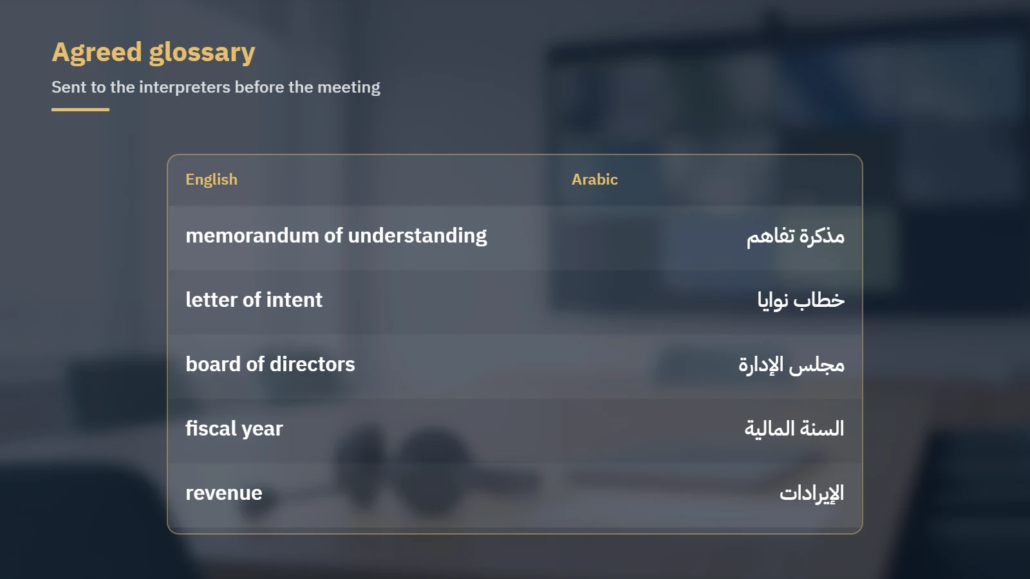
A short bilingual glossary agreed in advance removes hesitation on the terms that matter most. For example:
| English | Arabic | Note |
|---|---|---|
| memorandum of understanding (MoU) | مذكرة تفاهم | Confirm whether the acronym is used on the Arabic side |
| letter of intent | خطاب نوايا | |
| board of directors | مجلس الإدارة | |
| fiscal year | السنة المالية | Give the exact start and end dates if they are not calendar-year |
| revenue | الإيرادات | |
| billion | مليار | Agree on how large figures and currencies will be stated |
Numbers are a frequent pressure point. Where figures will be read aloud, put them on a slide or send them beforehand, so the team can check them rather than reconstruct them from audio.
6. Run a technical test and prepare the audience
AIIC Switzerland’s guide also asks whether a test is scheduled shortly before the meeting to confirm that the system works, and whether interpreters have a training session on the platform. Build both into your plan.
- Hold a technical check with the host, the interpreters and at least the main speakers, using the same devices and rooms they will use on the day.
- Test switching between the original audio and the interpreted channel from a listener’s account.
- At the start of the meeting, show a short slide or chat message telling participants how to select the Arabic or English channel.
- Name a technical contact who can reassign an interpreter or fix a channel without interrupting the meeting.
Remote interpreting planning checklist
- Mode chosen (simultaneous or consecutive) and confirmed with the interpreters
- Platform feature checked against the vendor’s current documentation
- Host named; interpreters assigned or ready to be assigned
- Team of two booked for simultaneous sessions, with breaks in the agenda
- Speakers equipped with headsets and a wired connection where possible
- Briefing pack and bilingual glossary sent in advance
- Videos and scripts shared with the interpreters beforehand
- Technical test held; attendee instructions ready
- Recording requirements checked against how the platform records interpretation
Working with Locstars
Locstars is an Arabic translation and localization company that provides remote interpreting for business meetings. We maintain a consistent term glossary for your account and keep the same team on your account. We work under your company’s NDA and can work within the security requirements you share with us in advance. Send us the meeting format, date, duration and languages through our quote form, and we will reply with a quote within one business day.
Platform features, plan requirements and limitations described in this article are summarized from Zoom and Microsoft documentation available at the time of writing and may change. Confirm current details with your platform administrator or the vendor before your event.
About the author: This article was prepared by the Locstars interpretation team. Locstars is an Arabic translation and localization company that provides remote interpreting alongside translation, localization and Arabic multimedia services, working with native-speaker subject specialists and keeping the same team on each client account.
